![sekure-logo-gif-b-m.gif]](https://support.sekuremerchants.com/hs-fs/hubfs/Logos/sekure-logo-gif-b-m.gif?width=120&height=52&name=sekure-logo-gif-b-m.gif)
Payments Hub allows merchants to switch the interface language so they can manage their business across their point‑of‑sale (POS) systems in their preferred language. Currently, English and Spanish are supported.
Update your language setting
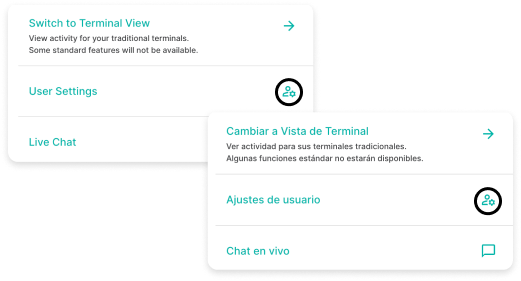
1. Select your user icon from the main menu and open User Settings, or Ajustes de usuario.
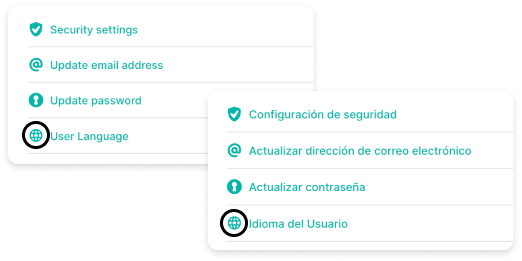
2. Locate and select User Language, or Idioma del Usuario.
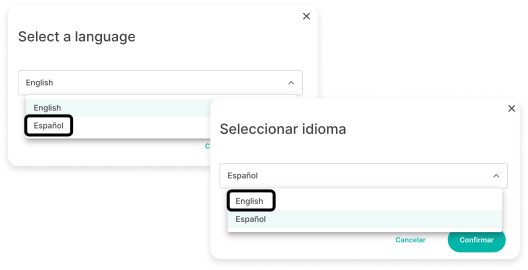
3. Choose Español or English from the dropdown menu and confirm the change.
The system updates immediately, and the interface displays in the selected language. You can follow these steps at any time to switch between English and Spanish.
Additional notes
- The Payanywhere mobile app also supports English and Spanish.
- The app’s language is based on the system settings of your device.